Map Services
Map services can be managed and configured for Trimble Unity.
- Click Manage in the Map services panel.

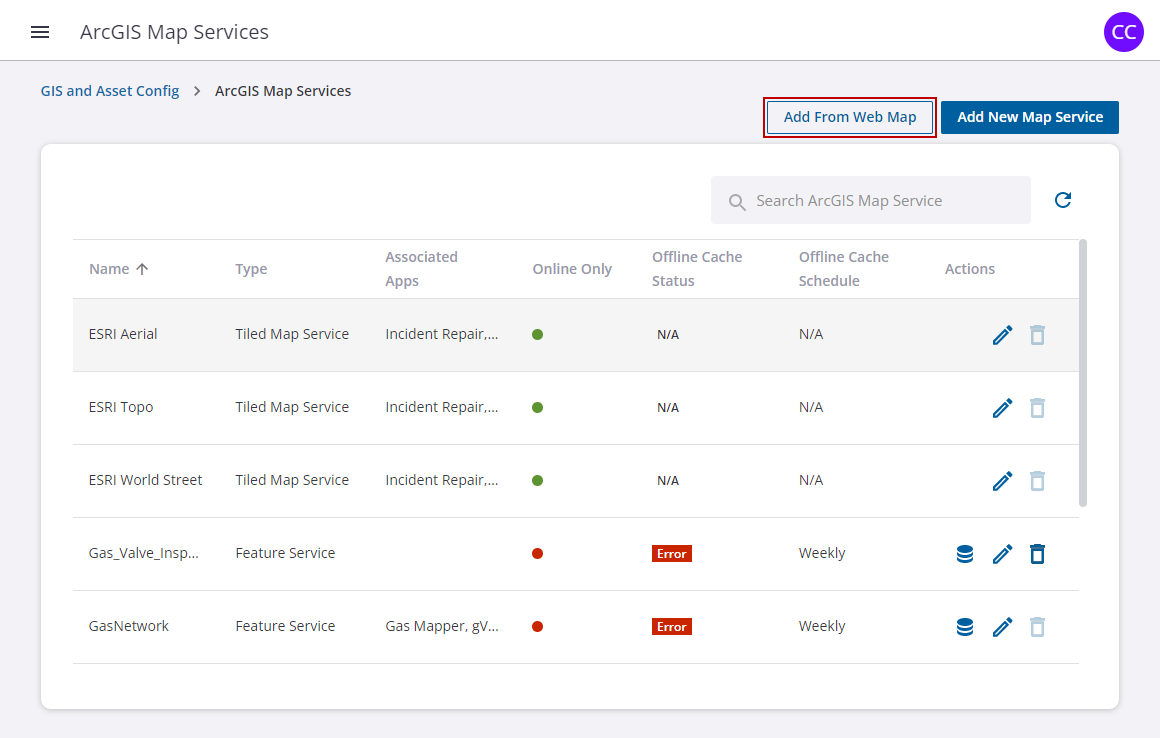
Add From Web Map
- To add feature services from a web map, click Add From Web Map.
- Paste the URL of the web map from your ArcGIS Online or Portal for ArcGIS account in the Web Map URL field and click Retrieve Map Services to pull in the URL.

- Select the feature service(s) check box, then click Add.
- Select the edit icon for the new map service once it is added.
Add New Map Service
- To create a map service directly from a feature service, click Add New Map Service.

- Enter a Name for the map service.
- Select a Map Service Type from the drop-down list.
- Paste the URL in the field.
- Select the type of security you want for the map service.
- Select whether you want the map service to be Online Only, and if not, select the Cache Generation Schedule from the drop-down list.
- Click Generate Cache Now to generate cache.
- Click Save.
 NOTE: When new layers are added to a web map or feature service, a new cache will need to be created in order to view the new added layer in Trimble Unity.
