Create Notification Groups for Alarms
Alarms can be configured to send alarm notifications sent by email to specific users. Alarm recipients and notification groups can be configured from the Notifications Groups page.
|
|
 PREREQUISITES:
- Click the menu icon to open the menu.

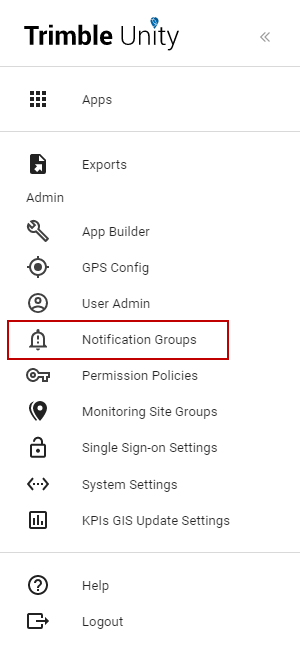
- Click Notification Groups.
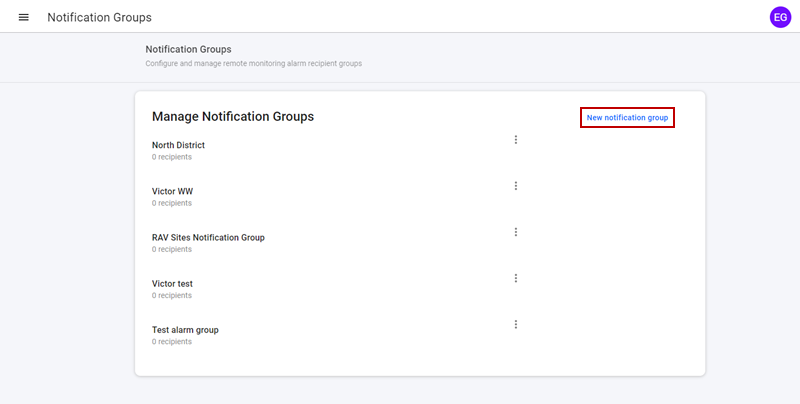
- To create a new notification group, click New notification group.
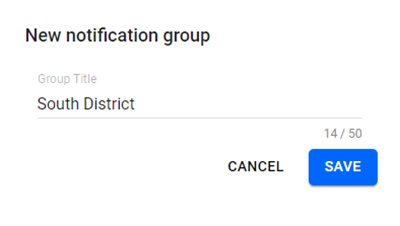
- Enter the Group Title and click Save.
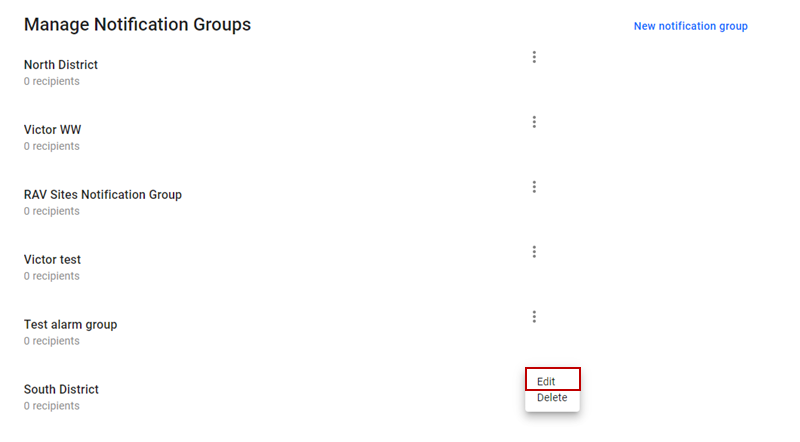
- To add recipients to the new notification group, click the more icon and select Edit.
- Click New Recipient or Add Existing.
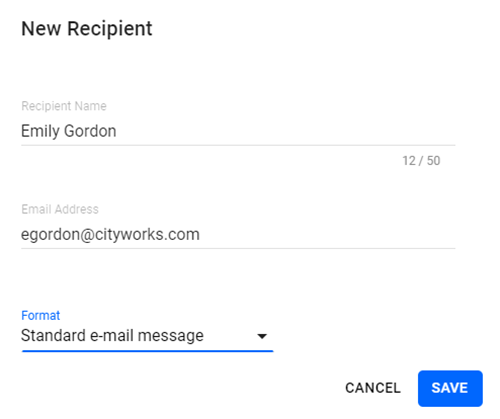
- For a new recipient, fill out the Recipient Name, Email Address, and Format for the notification, then click Save.
 BEST PRACTICE: To send a text message to a phone instead of sending an email, make sure to choose the Short email Message format type and use the following format for the email address: phonenumber@mobilecarrierSMSGateway. For a list of mobile carrier SMS Gateways, click here.
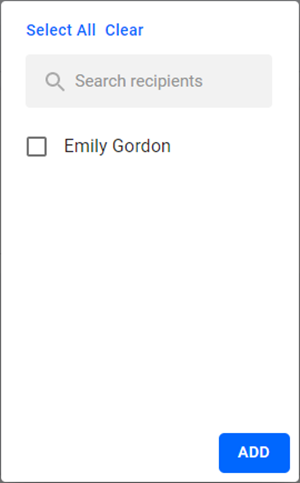
- To add an existing recipient, select one or multiple recipients from the list and click Add.
- Click Save.
 NOTE: Notification groups are used during alarm configurations to specify what group of recipients will receive email notifications when alarms are triggered by the RTUs.