Identify and Find Monitoring Sites
Monitoring sites can be filtered and selected from the list view or from the map. See User-defined Filters for more information.
 Select Monitoring Sites from the List View
- Click the Monitoring Sites tab to populate the list of monitoring sites.
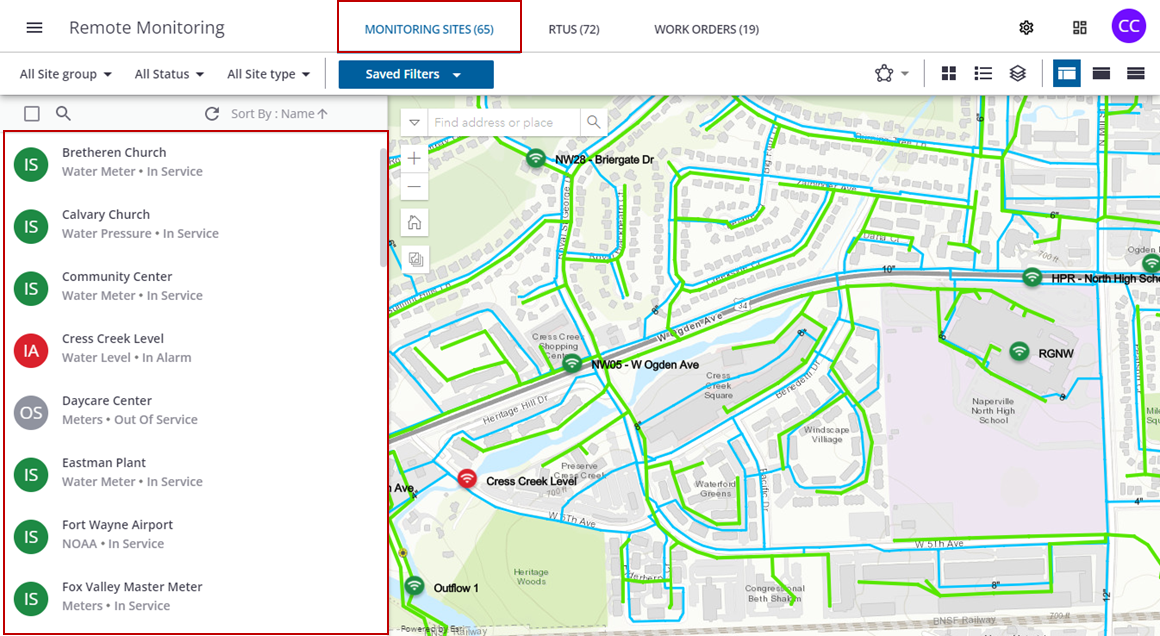
- Click the All Site group drop-down list to select a site group or groups.
 TIP: You can select multiple sites at once using the <Shift + click> shortcut. If you want to select multiple sites in a row, click the first site in the list you want to include, hold the Shift key on your keyboard, then scroll to the last site you want to include. All sites within the first and last clicks are selected. This is helpful when opening a graphical or tabular report.
 NOTE: Monitoring site groups can be organized and customized for individual organizations. See Create and Manage Monitoring Site Groups for more information on monitoring site groups.
- Click Apply to apply the filter.
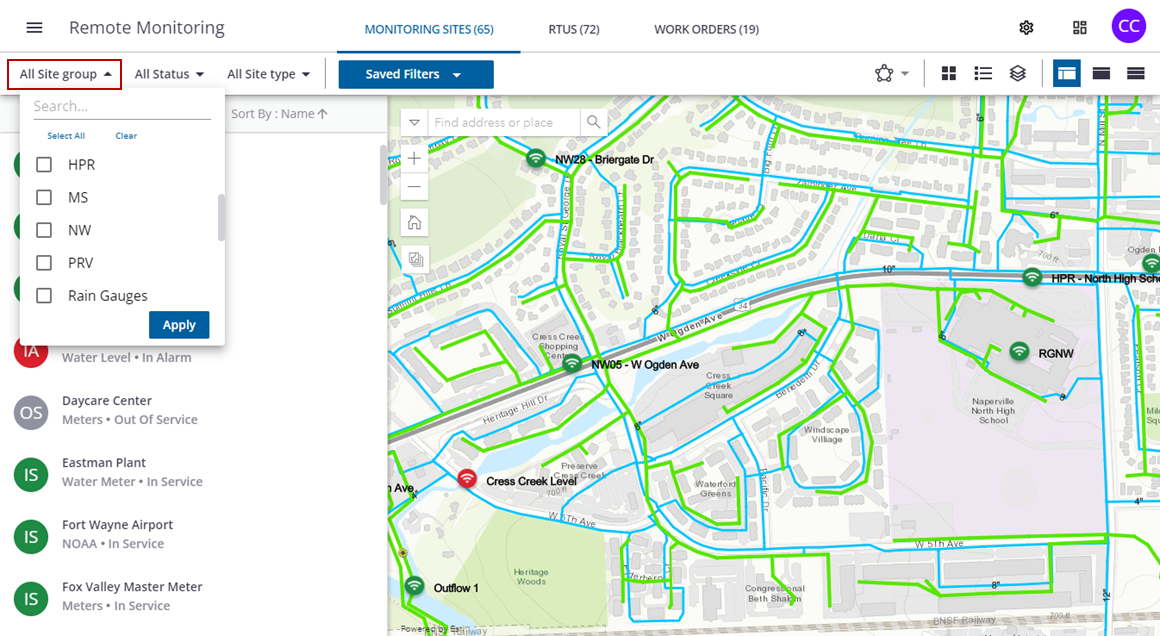
The list of monitoring sites will update with the filter.
- Click the All Status drop-down list to select a site status.
- In Service: A site with an RTU installed on it.
- Out Of Service: A historic site that does not have an RTU.
- In Alarm: A site with an active alarm.
NOTE: A monitoring site currently without an RTU doesn't bring in new data, but can hold historical data and can have an RTU installed in the future.
- Click Apply to apply the filter.
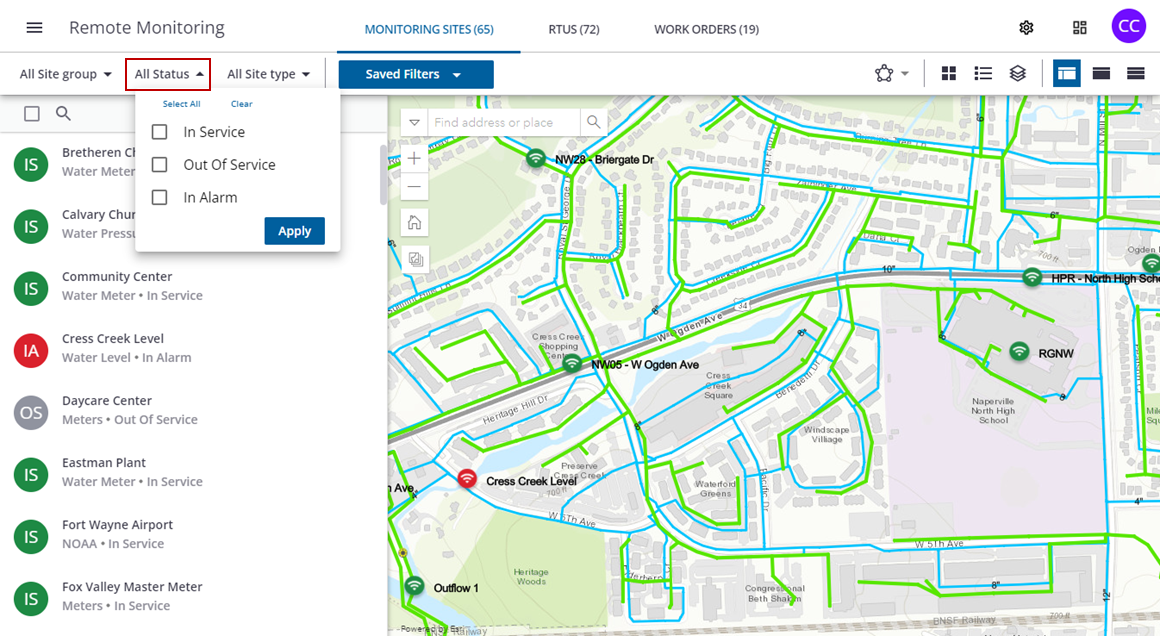
The list of monitoring sites will update with the filter.
- Click the All Site type drop-down list to select a monitoring site type.
- Click Apply to apply the filter.
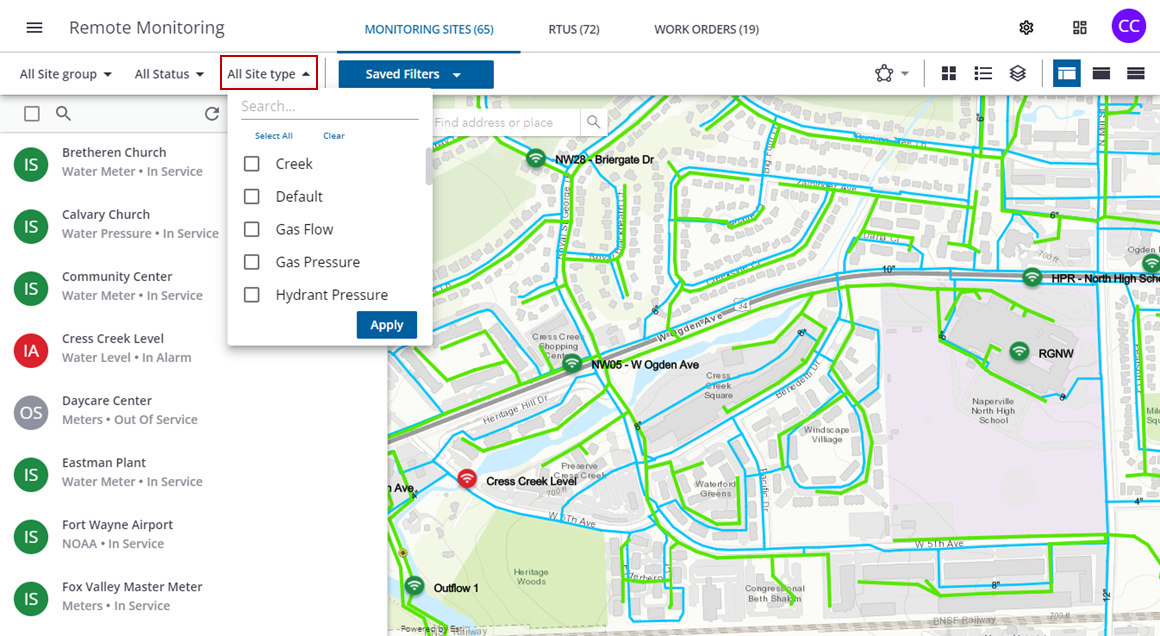
The list of monitoring sites will update with the filter.
- Type the site name or number in the search field to filter the list.
- Click Sort By to sort the list by Name or Status.
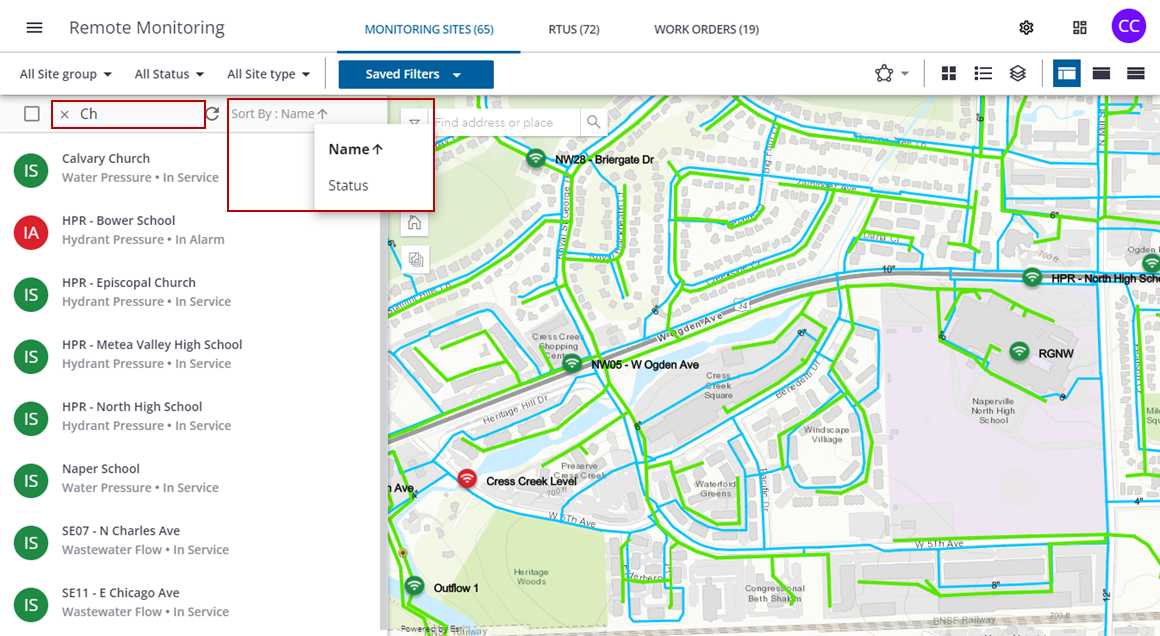
The list of monitoring sites will update with the filter.
Select Monitoring Sites From the Map
- Click a site on the map to zoom to the location on the map.
The site details panel will open for the site.
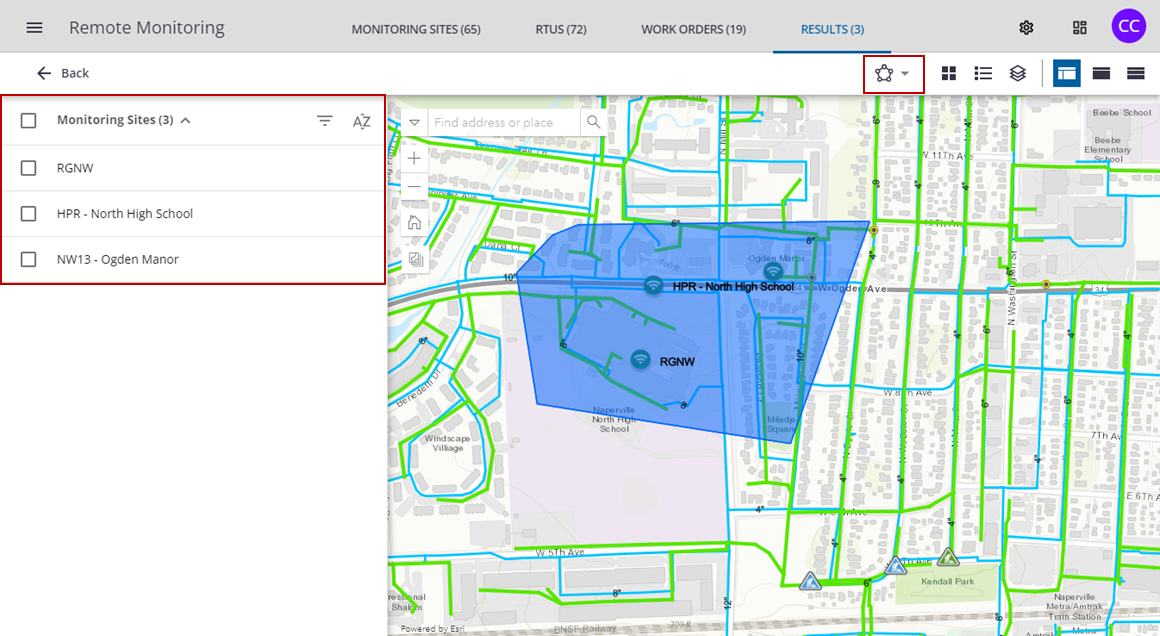
- Select the Draw Polygon tool to select multiple sites in an area from the map.
The selected sites display in the list.
- Select the Draw Line tool to select multiple sites inline with each other from the map.
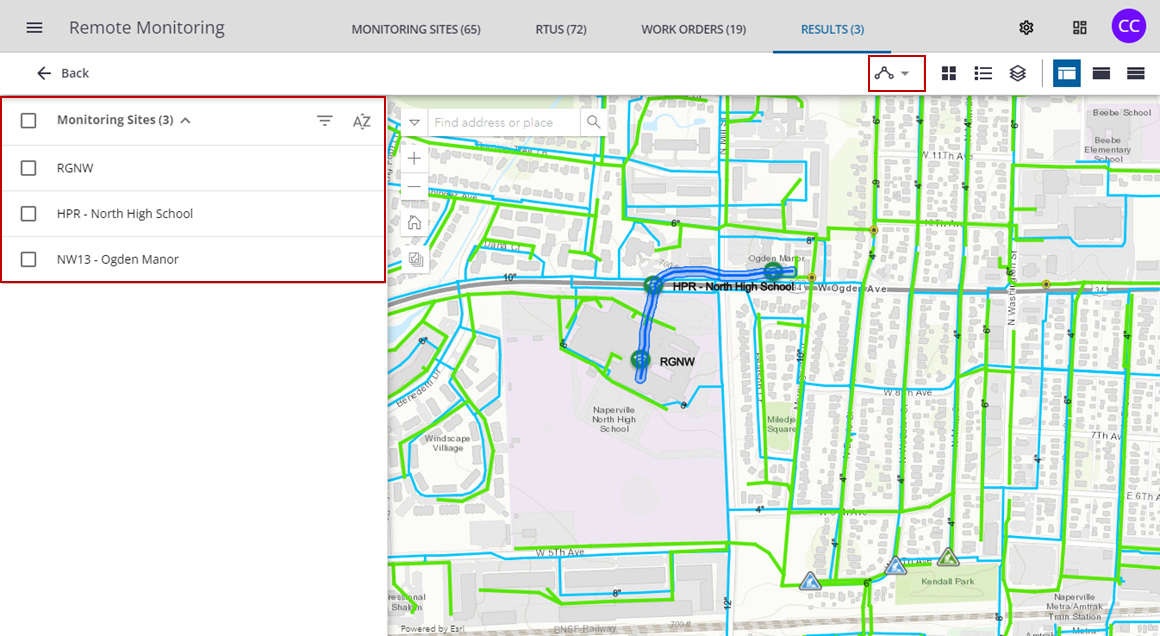
The selected sites display in the list.